Top 10 Circuit Design Software for Efficient Electronics Development?
In the rapidly evolving world of electronics, selecting the right circuit design software is crucial. With numerous options available, choosing the best tool can be overwhelming. Each software comes with its strengths and weaknesses. Yet, knowing what features to prioritize is essential.
Circuit design software streamlines the process of creating and testing electronic circuits. These tools provide intuitive interfaces, simulation capabilities, and collaboration features. However, not every option works for every project. Some software lacks advanced simulation tools, while others may overwhelm users with complexity.
Investing time in choosing the right circuit design software can yield significant benefits. Fine-tuning your selection process may help avoid common pitfalls. It’s important to reflect on each tool's usability and effectiveness. Ultimately, the right choice leads to a more efficient electronics development experience.

Overview of Circuit Design Software and Its Importance in Electronics
In the world of electronics, circuit design software plays a crucial role. These tools streamline the process of creating efficient and innovative designs. A recent report by the Electronics Design Automation Council highlights that nearly 75% of engineers use such software to enhance productivity. This statistic underscores the software's importance in modern electronics development.
Choosing the right circuit design software is critical. It can significantly impact project timelines and outcomes. Features such as simulation capabilities, user interface, and collaboration tools are vital. Engineers spend an average of 30% of their time on design iterations. Effective software can reduce this time, allowing for quicker product launches.
Tips: Invest time in training. Understanding the software deeply can save you hours. Also, gather feedback from team members. Their insights may highlight gaps in your design process. Remember, even the best software may not fit every project. Evaluate your needs carefully before making a choice.
Top 10 Circuit Design Software for Efficient Electronics Development
| Software Name |
Key Features |
Platforms |
Price Range |
User Ratings |
| CircuitMaker |
Collaborative design, PCB layout |
Windows |
Free |
4.5/5 |
| EasyEDA |
Integrated web-based tool, schematic capture |
Web-based |
Free |
4.6/5 |
| KiCad |
Open-source, multi-platform support |
Windows, macOS, Linux |
Free |
4.7/5 |
| LTspice |
SPICE simulation, circuit analysis |
Windows, macOS |
Free |
4.4/5 |
| Altium Designer |
High-end PCB design tools |
Windows |
$1000+ |
4.8/5 |
| OrCAD |
Schematic capture, PCB layout |
Windows |
$2000+ |
4.5/5 |
| Proteus |
Simulation, PCB design |
Windows |
$300+ |
4.6/5 |
| Fritzing |
Breadboard layout, PCB design |
Windows, macOS, Linux |
$8+ (donation basis) |
4.3/5 |
| Tina-TI |
Analog simulation, design tools |
Windows |
Free |
4.2/5 |
| DesignSpark PCB |
Free PCB design software |
Windows |
Free |
4.5/5 |
Key Features to Look for in Circuit Design Software
When selecting circuit design software, several key features make a significant difference. Look for a user-friendly interface. A clean layout allows for quick navigation and reduces design errors. A steep learning curve can frustrate designers, especially beginners. Software should have comprehensive documentation. This helps users troubleshoot issues effectively.
Another vital feature is robust simulation capabilities. Engineers need to predict circuit behavior under various conditions. Real-time analysis can save time and resources. Pay attention to collaboration tools. Good software enables multiple users to work together seamlessly. It should support easy sharing. Review functions are crucial for keeping track of changes.
Lastly, consider the level of customization available. Not all projects are the same. Designers crave flexibility. However, excessive options can overwhelm users. This balance between usability and power is essential. Each feature should enhance the design process, not hinder it. Effective software simplifies complex tasks, ultimately improving productivity.
Top 10 Circuit Design Software for Electronics Development
When developing electronics, circuit design software plays a vital role. It allows engineers to visualize their ideas and translate them into tangible products. The right software can streamline the design process, saving time and resources. Consider your needs: do you require simulation features or an integrated development environment? Each choice impacts your workflow.
Tip: Always start with a clear project outline. Define your goals and constraints early. This helps narrow down software options. Many tools have free trials. Experiment with different platforms to find your best fit. A hands-on approach reveals strengths and weaknesses.
Documentation is essential. Look for software with comprehensive resources. Tutorials and community forums can provide support. Keep in mind that complex features may slow you down. Sometimes, simplicity is key. Evaluate whether advanced functions add real value to your projects or just complicate the process.
Tip: Regularly assess your design tools. As projects evolve, so do requirements. A tool that once suited your needs may become a bottleneck. Stay agile and willing to adapt for optimal results.
Top 10 Circuit Design Software for Efficient Electronics Development
Comparative Analysis of Circuit Design Tools
Circuit design software plays a crucial role in electronics development. Many tools are available to assist engineers in this complex field. However, not all tools are created equal. Some excel in usability, while others focus on advanced features. It's essential to evaluate them based on project requirements.
When comparing circuit design tools, one must consider various factors. User experience is one critical aspect. Intuitive interfaces can significantly reduce the learning curve. Additionally, simulation capabilities are vital. Engineers need to visualize circuit behavior before production. Some tools offer robust simulation features, but they may be difficult to navigate. This trade-off can be frustrating for new users.
Collaboration features also deserve attention. Effective communication among team members can streamline the design process. Some tools support cloud sharing and real-time editing. Yet, they may lack depth in functionality. Engineers should weigh ease of use against the potential for innovation. Ultimately, the choice of tools should align with specific project goals and team dynamics.
User Experiences and Recommendations for Circuit Design Software
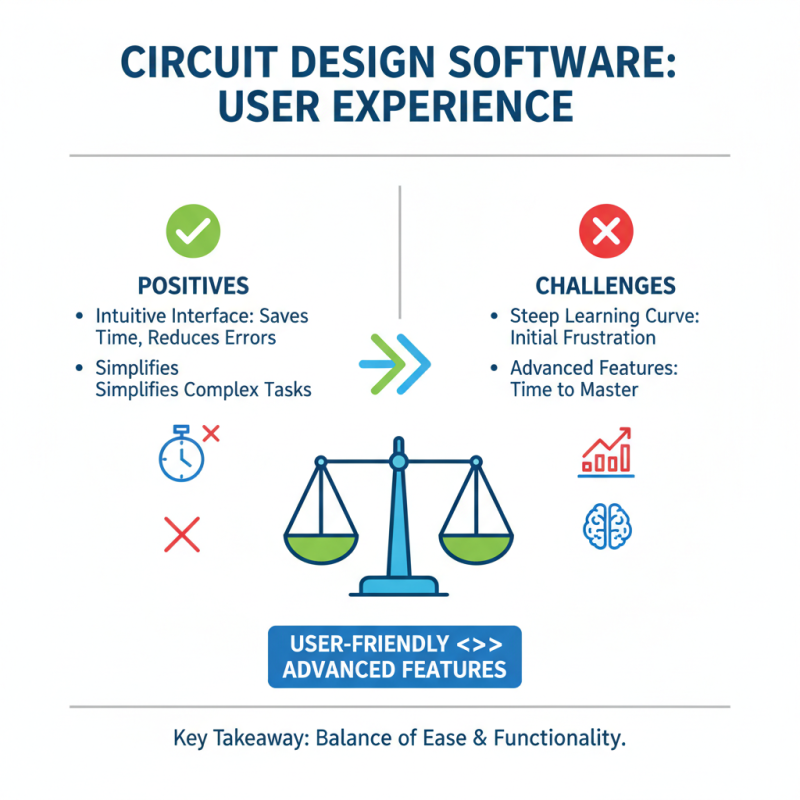
When choosing circuit design software, user experiences play a vital role. Many designers appreciate tools that simplify complex tasks. A user noted that intuitive interfaces save time and reduce errors. However, some mentioned that steep learning curves can cause frustration initially. This duality highlights the importance of user-friendly designs while acknowledging that advanced features often require time to master.
Recommendations often emphasize software that caters to various skill levels. Some users prefer platforms with extensive libraries and component databases. This access helps streamline the design process, especially for beginners. Yet, others expressed that too many features can overwhelm them. Balancing function and usability is crucial. Designers often find themselves wishing for clarity in instructions or better support options.
The feedback encourages software developers to consider their audience. Clear documentation and community support can bridge knowledge gaps. Many users value ongoing updates and improvements as well. This shows that user experience is not static. It evolves with technological advancements and community feedback, ultimately shaping the tools we use for electronics development.