What is PCB Design Software and How Does It Work?
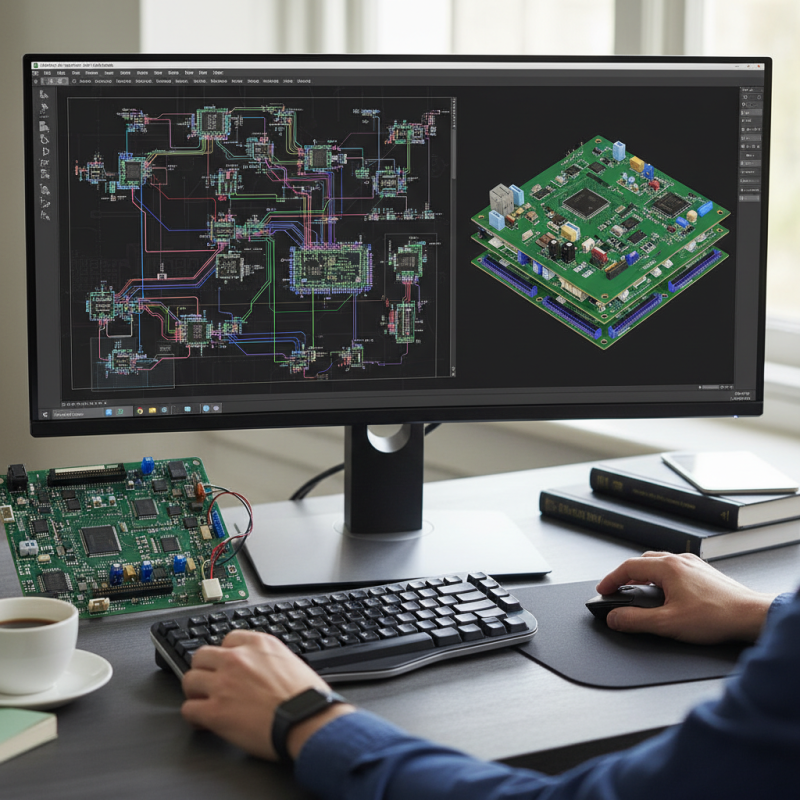
PCB design software plays a crucial role in the development of electronic circuits. It allows engineers to create, modify, and visualize circuit layouts efficiently. These tools provide a platform for designing printed circuit boards, essential in modern electronics.
Utilizing pcb design software streamlines the design process. Users can easily draft schematic diagrams and translate them into PCB layouts. Advanced features like simulation tools help detect potential errors early, saving time and resources. However, mastering this software can be challenging. Users often face a steep learning curve, and mistakes can lead to significant redesigns.
Despite these challenges, the benefits of pcb design software are undeniable. It enhances productivity and accuracy in design. As technology advances, the demand for sophisticated PCB designs increases. This trend will likely push designers to continually adapt and improve their skills. Embracing the complexity of this software ultimately leads to better innovation in electronics.
What is PCB Design Software?
PCB design software is essential in modern electronics. It allows engineers to create printed circuit boards that connect various components. These software tools streamline the design process, reducing errors and improving efficiency. According to industry reports, the PCB design software market is expected to grow significantly, with projections indicating a CAGR of 10% over the next five years. This growth reflects the increasing demand for electronic devices across multiple sectors.
Designing PCBs involves several steps. Engineers input schematics, then convert them to layouts. The software checks for design rule violations throughout the process. This feature is critical, as oversights can lead to costly redesigns and production delays. Yet, many designers often overlook this verification step, resulting in problems later on.
Tips: Always review your designs multiple times. Collaborate with colleagues for fresh perspectives. Remember, no software is foolproof. Regularly update your skills to keep pace with new features. Continuous learning can prevent stagnation and enhance your design capabilities.
Key Features of PCB Design Software
PCB design software is essential in the electronics industry. It enables designers to create complex printed circuit boards (PCBs) efficiently. Key features of such software include schematic capture, layout design, and simulation tools. According to a recent market analysis, the PCB design software market is projected to grow by 6.5% annually, highlighting its significance in various applications.
Schematic capture allows designers to translate ideas into visual formats. This feature is crucial for ensuring that all components are correctly connected. Layout design helps in organizing the space effectively. A well-structured PCB can minimize electromagnetic interference and enhance performance. However, achieving the perfect layout remains a challenge for many designers.
Simulation tools permit users to test circuits before physical production. This prevents costly errors during manufacturing. Yet, many still overlook this step, leading to project delays. The frequent updates in design standards can also lead to confusion. Adapting to these changes should be a priority, but often, it is not given the attention it deserves. Balancing innovation with practical application is vital for success in PCB design.
How PCB Design Software Works: A Step-by-Step Process
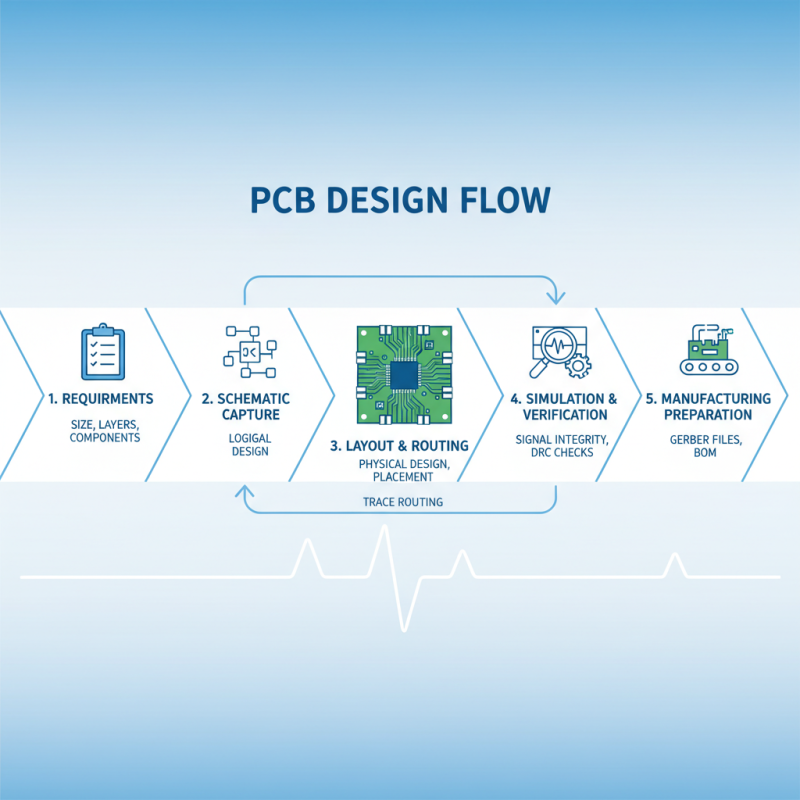
PCB design software plays a crucial role in developing electronic circuits. The process begins with defining the requirements. Users input parameters such as size, layer count, and component types. This helps in visualizing the board layout.
After gathering the requirements, the software allows for schematic creation. Designers place components and connect them using virtual wires. It’s essential to ensure that connections are correct. Sometimes mistakes happen, so double-checking is vital. Errors in connections can lead to a non-functional board.
Next, the software converts the schematic into a layout. This step involves placing components efficiently. Designers must consider spacing and orientation. A cluttered layout can cause signal interference. Finally, the design is generated, ready for manufacturing. It's also crucial to run design rule checks. Overlooking these checks can lead to costly errors in production.
Types of PCB Design Software Available in the Market
When exploring types of PCB design software, it’s essential to recognize the wide variety available in the market. According to industry reports, around 40% of engineers prefer using schematic capture software. This type of software primarily focuses on creating circuit schematics. It allows users to visualize the electrical connections. This visualization is crucial for identifying potential design errors. However, beginners may find it overwhelming due to its complexity.
Another prominent type is PCB layout software, which tends to dominate around 30% of the market. This software transforms the schematic into physical layouts. It involves placing components on a board and routing the traces. Many users appreciate the advanced features, but it can lead to design mistakes if proper attention is not given. One common issue is component placement, which can affect signal integrity. Designers must carefully plan their layouts to avoid interference.
Lastly, simulation software plays an important role, accounting for nearly 20% of PCB design tools. It allows engineers to test designs virtually before production. This process is crucial for identifying faults early. Despite its benefits, simulation can sometimes give misleading results. Engineers need experience to interpret these results correctly. Balancing software functionality with usability remains a significant challenge in PCB design.
What is PCB Design Software and How Does It Work? - Types of PCB Design Software Available in the Market
| Software Type |
Features |
Target Users |
Price Range |
| Schematic Capture Software |
Create electronic circuit diagrams, real-time simulation. |
Engineers, Hobbyists |
$0 - $500 |
| Layout Design Software |
PCB layout design, multilayer support, DRC checks. |
Professional Engineers, Designers |
$500 - $5000 |
| Simulation Software |
Signal integrity, thermal simulation, and analysis tools. |
R&D Departments, Engineers |
$1000 - $20000 |
| 3D PCB Design Software |
3D visualization, mechanical design integration. |
Advanced Engineers, Product Developers |
$1500 - $10000 |
| Collaborative Design Tools |
Cloud-based collaboration, version control, sharing. |
Teams, Remote Designers |
Subscription-based, $10 - $200/month |
Benefits of Using PCB Design Software in Electronics Development
PCB design software is essential for modern electronics development. It simplifies the complex task of designing printed circuit boards. One significant benefit is the efficiency it offers. Designers can create and modify layouts swiftly. This speed reduces the time from concept to prototype. Adjusting designs on the software is easier than doing it manually.
Another advantage is the accuracy it provides. Design errors can lead to costly mistakes. Software can catch some of these mistakes before production. However, it is critical to double-check your designs. Relying solely on software might lead to overlooked details. This could compromise the project.
Here’s a tip: always utilize the simulation features in the software. Simulations help visualize how the board will behave in real-world conditions. It’s practical and saves time. Also, gather feedback early in the design process. Peer reviews can highlight flaws you might miss. The collaborative approach strengthens the overall design quality. Continued use of PCB design software can lead to more innovative solutions in electronics.
Benefits of Using PCB Design Software in Electronics Development