How to Choose a Key Digital HDMI Extender in 2026?

Choosing a Key Digital Hdmi Extender in 2026 starts with the room, not the product label. Measure the cable route, note the display’s supported resolution, and check every source device in the signal chain. A setup that works at a desk may behave differently across a long ceiling run. Small details matter.

Before comparing models, confirm the extender’s documented distance, video formats, refresh rates, and HDCP compatibility. Check whether the system uses category cable, fiber, or another connection, and follow the manufacturer’s cable guidance. A high-resolution specification alone does not guarantee reliable performance over your chosen distance. A label can mislead. Also consider audio needs, control signals, power options, and whether the installation requires local or remote management. For conference rooms, classrooms, or digital signage, these details can affect daily operation more than a headline feature.

Use the product documentation as your primary reference, and verify compatibility with the exact source and display models. If specifications are unclear, ask the manufacturer or an experienced installer before purchasing. I’ve seen planning focus too heavily on resolution while overlooking cable quality and connector access. That is an easy mistake to make. Leave room for testing, too: confirm the picture, sound, and control functions after installation. A careful comparison helps you choose an extender suited to the actual installation, rather than one that merely looks right on paper.
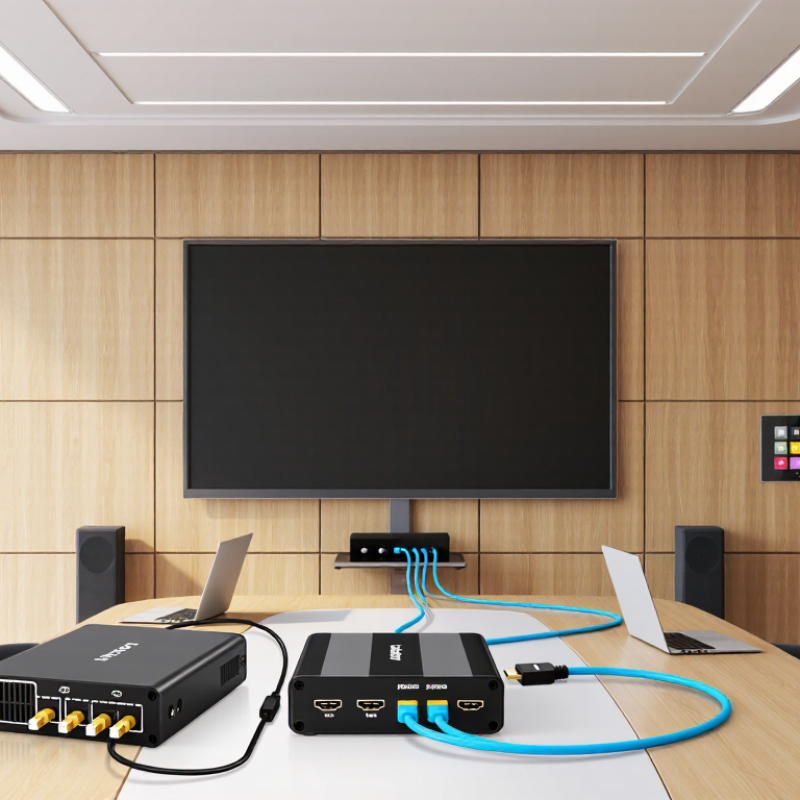
How to Choose a Key Digital HDMI Extender in 2026?

Define the Signal Requirement: HDMI 2.1 Supports Up to 48 Gbps

HDMI 2.1 can carry up to 48 Gbps. That is a ceiling, not a guarantee that every extender passes the full rate. Start with the actual signal. 4K at 120 Hz, 8K at 60 Hz, HDR, and 4:4:4 color can demand different bandwidths. Check the source and display settings, not just their resolution labels. A 4K screen may still need a high data rate when refresh rate and color depth rise. Small detail, big impact.

Read the extender’s supported formats and maximum bandwidth carefully. Look for the exact combination you use, including refresh rate, HDR, chroma sampling, and variable refresh rate if needed. Some systems compress signals to travel farther; others reduce supported modes. Ask whether the advertised 48 Gbps is end-to-end capacity or only an input capability. Check distance, cable type, and power requirements too. Long runs can expose marginal links. Watch for brief blackouts or sparkles. Test the full chain before installation: source, extender, receiver, and display. A spec sheet may look reassuring, yet fail to cover your chosen refresh rate. Leave headroom where possible. It is easy to overlook.


Match Resolution and Refresh Rate: HDMI 2.1 Enables 4K at 120 Hz

Choosing a Key Digital HDMI extender in 2026 means checking the video signal you actually plan to use. HDMI 2.1 can enable 4K at 120 Hz, but the label alone does not guarantee that an extender supports this mode. Confirm the product’s listed resolution and refresh-rate combinations, along with supported color depth and HDR formats. Every link matters: the source, transmitter, receiver, cables, and display must all handle the same signal.

A stable picture at 60 Hz proves little. Test the complete setup at 4K and 120 Hz, especially if a console or gaming PC will use it. Higher color depth and chroma settings can demand more bandwidth, so check the extender’s stated limits rather than assuming every HDMI 2.1 feature is included. Also compare the specified transmission distance with your actual cable route. Long runs may need active or fiber-based solutions, and some have directional ends.

The fine print can be easy to misread. A device might pass 4K video yet fail at 120 Hz, or require different settings to maintain HDR. Check the exact supported format before installation, then test with your intended source and display. If the image drops out, reduce one setting at a time; that can reveal whether bandwidth, cable length, or device compatibility is the weak link. It is a small extra step, but saves guesswork later.

Choose the Transmission Distance: HDBaseT Extenders Can Reach 100 m

When choosing an HDMI extender, measure the actual cable route, not the straight-line distance between screens. A ceiling run may bend around beams, racks, and wall plates. Those extra metres matter. HDBaseT is often considered for long links because it carries video over category cable. The HDBaseT Alliance’s HDBaseT 3.0 specification lists transmission up to 100 metres, with 4K at 60 Hz and 4:4:4 color. That figure depends on compatible equipment and suitable cabling; it is not a promise that every installation will perform identically.

Check the extender’s supported cable category and resolution before ordering. ANSI/TIA-568.2-D sets a 100-metre maximum channel length for balanced twisted-pair cabling, which offers a useful cabling reference, not a guarantee of video quality. A long run through a warm ceiling or beside electrical wiring deserves extra care. Test the actual cable path with the intended source and display, especially when using high-bandwidth video. Shorter is safer. I would leave some distance margin rather than design right at the limit. That can mean relocating equipment or choosing a different route, which is inconvenient, but a clean test beats discovering dropouts after the wall is closed.

How to Choose a Key Digital HDMI Extender in 2026? - Choose the Transmission Distance: HDBaseT Extenders Can Reach 100 m

Extender type Typical reach Resolution and signal notes Best suited for What to check before buying
HDBaseT over category cable Up to 100 m (328 ft) on compatible systems Supported formats vary by HDBaseT version, extender, and cable. Some systems carry 4K over the full distance; others require a shorter run or reduced format. Long room-to-room or building runs where a single category-cable link is preferred Confirm the specified distance at your exact resolution, refresh rate, chroma format, and color depth. Follow the required cable category and installation limits.
HDMI over Cat cable (non-HDBaseT) Commonly tens of metres; product-dependent Performance and compatibility differ widely. Some systems use proprietary transmission methods and may not interoperate with HDBaseT equipment. Short or medium runs when the system’s published specifications match the installation Check whether the link is HDBaseT or proprietary, and verify HDCP, EDID, audio, control, and supported video formats.
Active copper HDMI cable Usually suited to shorter runs than long-distance extenders; maximum depends on the cable Built-in electronics can help maintain a signal over longer distances than a comparable passive cable, but performance is model- and format-specific. Neat point-to-point connections where a powered or directional cable is acceptable Check source-to-display direction, power requirements, connector clearance, and the supported HDMI features.
HDMI over fiber Long-distance runs; exact reach depends on the product and fiber type Can support high-bandwidth video over long runs. The transmitter, receiver, and cable must be designed for the required format. Very long routes or electrically noisy environments Confirm fiber type, connectors, bend radius, power needs, and compatibility with HDCP and other required features.
Passive copper HDMI cable Best for short runs; reliable reach depends on cable quality and signal format Higher data rates and longer cable lengths can make signal reliability more difficult. There is no single guaranteed maximum length for every setup. Direct connections between nearby devices For longer routes, test the complete source-to-display chain at the intended resolution and refresh rate.

Selection tip: Treat 100 m as a system-specific rated distance, not a guarantee for every HDBaseT extender. Check the manufacturer’s stated limits for the exact video format, cable type, and installation, and leave practical margin for cable routing and termination.

Check Compatibility: Verify HDCP, EDID, HDR, and Audio-Return Support

When choosing a digital HDMI extender in 2026, compatibility matters more than advertised distance. Omdia’s TV Displays and Forecasts report indicates that 4K televisions remain dominant in global shipments. Your extender should therefore support the source and display’s actual video standards, not only “4K” on the package.

Check HDCP version alignment first. A protected movie may show a black screen when the source, extender, and display negotiate different HDCP levels. EDID support is equally important. EDID tells the source whether the screen accepts 4K, HDR, specific refresh rates, and audio formats. In practice, use a monitor or analyzer to confirm the returned EDID. Auto mode is convenient, but it can choose a lower resolution.

HDR needs careful testing. The UHD Alliance’s consumer guidance distinguishes HDR formats, while CTA standards work highlights differences in brightness and metadata handling. An extender may pass HDR10 but fail dynamic metadata. Watch for washed colors or sudden SDR fallback. Audio-return support deserves the same attention. CTA’s 2024 U.S. Consumer Technology Ownership and Market Potential Study describes continued growth in immersive home entertainment, increasing the need for reliable eARC paths. Test eARC with a sound system, not just television speakers. A short cable may work perfectly; a longer run may expose timing errors. I have seen “compatible” systems fail after a firmware update. That is an uncomfortable reminder to verify the complete signal chain.

Plan the Installation: Compare Power, Latency, Cabling, and Control Features

Choosing a digital HDMI extender in 2026 starts with the installation, not the product box. I measure the route, count wall penetrations, and mark every power outlet before selecting a model. A unit with local power may simplify troubleshooting, while power over cable can reduce visible wiring. Check the voltage requirements carefully. One failed adapter can stop the entire display system.

Latency matters when the screen shows games, live cameras, or interactive training. Look for published end-to-end latency, not vague claims about “real-time” performance. Even a small delay feels obvious when a presenter moves a mouse. My first office installation ignored this detail. The image looked excellent, but cursor movement felt slightly behind. That mistake still influences my testing.

Cabling deserves equal attention. Certified Category 6 or Category 6A cable usually provides a practical foundation, but distance, bends, termination quality, and electrical noise affect stability. Fiber may suit longer routes, although it can require more careful handling. Test the cable before closing walls. Please do this early.

Control features can decide whether daily use feels simple or frustrating. EDID management helps displays and sources negotiate compatible formats. CEC, infrared, RS-232, or network control may support remote switching and power commands. Confirm that each feature works with the actual devices, not only in the specification sheet. I also leave service access near the receiver. It is less tidy, but future repairs become much easier.

How to Choose an HDMI Extender in 2026

Compare installation priorities before selecting an extender type.

Example planning scores for one hypothetical installation—not measured product performance. A higher score means the factor needs more attention. Check each extender’s specifications for power requirements, stated latency, supported cable type and distance, and available control signals.

Wordpress Social Share Plugin powered by Ultimatelysocial
Facebook
X (Twitter)
YouTube
LinkedIn
Share

Purchase Product Request

Request Pricing