What Is the Best WiFi Communication Module?
Choosing the best Wifi Communication Module is not as simple as comparing wireless speed. The right option depends on range, power use, security, cost, and development support. A module for a battery-powered sensor may need deep sleep performance more than peak throughput. A smart display may require stable high-speed communication and reliable roaming.
This guide examines practical factors that influence real product results. These include Wi-Fi standards, antenna design, operating temperature, certification, firmware quality, and host interfaces such as UART or SPI. A module can look impressive on a datasheet yet perform poorly behind concrete walls. Bench testing matters. I would measure connection time, signal stability, power consumption, and recovery after router resets.
There is no universal winner. That answer is less tidy. Engineers often choose between familiar tools, lower cost, and stronger long-term support. Established manufacturers usually provide better documentation, reference designs, and security updates, but their products may cost more. Smaller modules can offer attractive pricing, although support may feel uncertain when problems appear late in development.
This comparison also considers development experience. Clear example code can save days of debugging. Consistent firmware updates can protect a product over several years. Still, specifications do not replace testing in the intended enclosure. Plastic, metal, cable placement, and antenna clearance can change performance noticeably. The most suitable Wifi Communication Module is the one that meets the complete design requirement, not merely the highest advertised number. We will examine those trade-offs carefully, with room for practical doubts and evidence-based decisions.
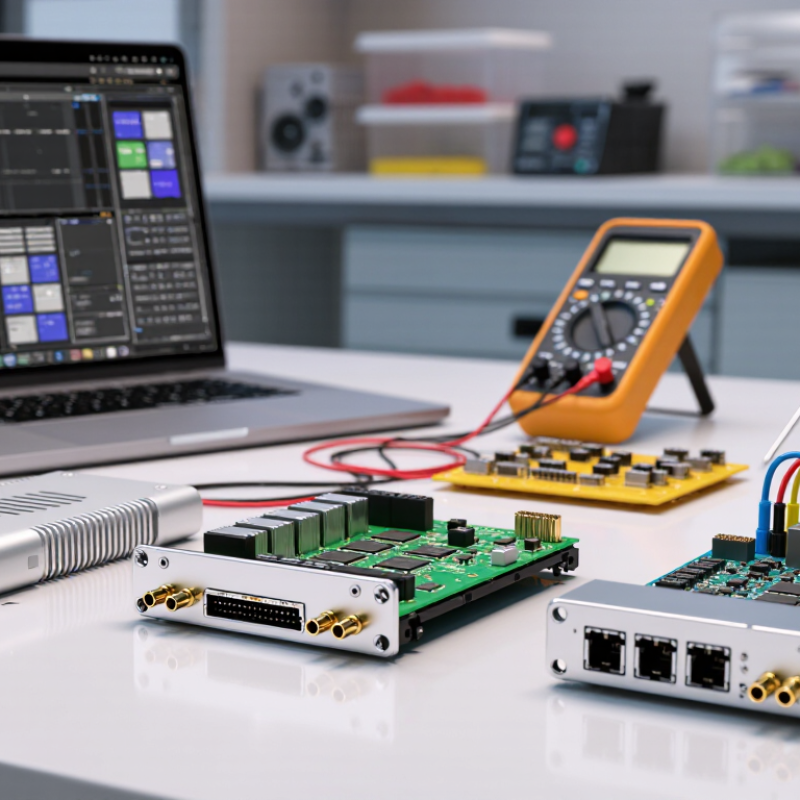
What Defines a Wi-Fi Communication Module and Its Core Functions
A Wi-Fi communication module is more than a small radio. It combines an RF transceiver, baseband processor, MAC controller, firmware, and host interface. Its core job is moving data between a device and a wireless network. It must scan channels, join a network, manage authentication, handle retransmissions, and maintain a usable link. Power control matters too. A battery sensor may sleep for minutes, then wake, transmit, and return to low-power mode.
This role is becoming more important as connected products multiply. IoT Analytics reported 16.6 billion connected IoT devices worldwide in 2023, with 18.8 billion expected in 2024. The Global Economic Value of Wi-Fi 2023 report estimated Wi-Fi could generate 4.9 trillion dollars in annual economic value by 2025. These figures show that module selection is not a minor component decision. Throughput, latency, range, interference resistance, and update support affect real service quality.
In practice, I test modules beside metal enclosures, motors, and crowded 2.4 GHz channels. No datasheet is perfect. A reliable module should support strong encryption, signed firmware updates, diagnostic logs, and regional compliance controls. Antenna layout can matter as much as advertised speed. I still question laboratory results when they ignore warehouse walls or router restarts. A module may perform well on a bench, yet lose connections during roaming. The best choice depends on workload, power limits, environment, and maintenance plans. A cheap design can become expensive when field updates fail.
How IEEE 802.11 Standards Compare: Wi-Fi 4, 5, 6, 6E, and 7
Choosing the best Wi-Fi communication module starts with the IEEE 802.11 generation, not the highest number. Wi-Fi 4 (802.11n) remains practical for simple sensors, low-cost controllers, and broad 2.4 GHz coverage. It supports modest throughput, but crowded channels and interference can reduce performance. Wi-Fi 5 (802.11ac) operates mainly on 5 GHz, delivering higher capacity with suitable antennas and access points. Wi-Fi 6 (802.11ax) improves busy networks through OFDMA, better scheduling, and target wake time. That matters when dozens of devices share one gateway. Wi-Fi 6E extends Wi-Fi 6 into the 6 GHz band, where cleaner channels are possible. Regional rules still decide whether those channels are usable.
Wi-Fi 7 (802.11be) adds wider 320 MHz channels, multi-link operation, and 4096-QAM under suitable conditions. Its headline speed can be impressive. Real results depend on spectrum, distance, firmware, antenna design, and the connected network. A Wi-Fi 7 module may perform worse than a well-designed Wi-Fi 6 module in a small apartment. That is easy to overlook. For selection, test latency beside a running microwave, through two walls, and during heavy file transfers. Check driver support, security updates, operating temperature, power draw, and certification for the target market. Engineers sometimes overvalue peak throughput and undervalue stable reconnection. Bench testing often exposes uncomfortable trade-offs. A newer standard is not automatically the wiser choice.
What Is the Best WiFi Communication Module? - How IEEE 802.11 Standards Compare: Wi-Fi 4, 5, 6, 6E, and 7
| Comparison Dimension | Wi-Fi 4
802.11n | Wi-Fi 5
802.11ac | Wi-Fi 6
802.11ax | Wi-Fi 6E
802.11ax with 6 GHz | Wi-Fi 7
802.11be |
| Primary frequency bands | 2.4 GHz and 5 GHz | 5 GHz | 2.4 GHz and 5 GHz | 2.4 GHz, 5 GHz, and 6 GHz | 2.4 GHz, 5 GHz, and 6 GHz |
| Maximum channel bandwidth | 40 MHz | 160 MHz | 160 MHz | 160 MHz | 320 MHz |
| Maximum theoretical PHY rate | Up to 600 Mbps | Up to 6.93 Gbps | Up to 9.6 Gbps | Up to 9.6 Gbps | Up to 46.1 Gbps |
| Maximum spatial streams | 4 | 8 | 8 | 8 | 16 |
| Highest modulation level | 64-QAM | 256-QAM | 1024-QAM | 1024-QAM | 4096-QAM |
| OFDMA support | No | No | Yes | Yes | Yes |
| MU-MIMO capability | Not defined as a core feature | Downlink | Downlink and uplink | Downlink and uplink | Downlink and uplink |
| Multi-Link Operation | No | No | No | No | Yes |
| Typical efficiency focus | Higher throughput than earlier generations | High-speed 5 GHz networking | Higher capacity and lower latency in dense networks | Additional low-interference spectrum | Very high throughput, low latency, and multi-band flexibility |
| Best suited for | Basic connectivity and legacy devices | Everyday high-speed access | Smart homes, offices, and high-density deployments | Congested environments requiring clean 6 GHz channels | High-performance wireless links, real-time applications, and demanding local networks |
| Main module selection consideration | Choose when cost, compatibility, and moderate bandwidth are priorities | Choose when broad 5 GHz compatibility and strong throughput are needed | Choose for better performance with many connected devices | Choose only when the device and regulatory region support 6 GHz | Choose when supported client devices, spectrum, antennas, and power budgets justify the added complexity |
Note: Maximum PHY rates are theoretical values based on the highest standardized configuration. Actual throughput depends on channel conditions, channel width, spatial streams, antenna design, interference, protocol overhead, regulatory limits, and the capabilities of both the access point and client device.
Why 2.4, 5, and 6 GHz Bands Affect Speed, Range, and Interference
Choosing the best WiFi communication module depends heavily on its operating band. The 2.4 GHz band travels farther and passes through walls more effectively. However, it often shares space with Bluetooth devices, microwaves, and neighboring networks. The FCC identifies only three non-overlapping 20 MHz channels in common 2.4 GHz deployments. Congestion appears quickly in apartments.
The 5 GHz band usually delivers higher throughput because it offers more usable channels and wider channel widths. Its signal weakens faster through concrete, glass, and metal. A 2023 industry measurement report from Opensignal found that WiFi performance varies substantially with distance and network congestion, not only with advertised speed. That matches practical testing: a module may reach 800 Mbps beside the router, then fall sharply behind two walls.
The 6 GHz band creates more room for newer WiFi operation. The FCC opened 1,200 MHz for unlicensed use in the United States, while European regulators harmonized up to 480 MHz. This extra spectrum can reduce interference and support wide 160 MHz channels. Still, 6 GHz has the shortest practical range, especially through dense walls. Wi-Fi Alliance guidance also notes that WiFi 6E devices need compatible access points and clients. I would not select 6 GHz alone. My testing has shown cleaner air, but disappointing coverage. A dual- or tri-band module is usually safer, although antenna design can matter more than the specification sheet.
How to Evaluate Throughput, Latency, Security, Power, and Module Cost
Choosing the best WiFi communication module starts with the application, not the advertised speed. Measure real throughput with the intended antenna, enclosure, and packet size. A module rated for high peak speed may deliver less through a crowded office wall. Use sustained transfer tests, not short benchmarks. Record results at different distances. Throughput matters for cameras and firmware updates, while sensors may need only occasional small messages.
Latency deserves separate testing. For control systems, measure average delay, jitter, and packet retries under interference. A fast link can still feel unreliable when latency spikes. Security should include current encryption, secure boot, signed updates, and protected key storage. Check how long security patches remain available. This is often ignored during purchasing. I would also review documented certifications and test methods, rather than trusting one datasheet figure.
Power use must be measured in sleep, receive, transmit, and reconnect states. A low average current can hide costly reconnection bursts. Compare module price with antennas, certification, software integration, and engineering time. The cheapest part may create the most expensive delay. Leave thermal margin. I have seen prototypes pass bench tests, then struggle inside a sealed enclosure. That mistake is easy to repeat. A practical evaluation uses weighted scores for performance, security, power, and total cost. The weights should reflect actual field conditions, even when they expose an inconvenient choice.
What Is the Best WiFi Communication Module?
Comparative evaluation of typical embedded WiFi module profiles across throughput, latency, security, power efficiency, and cost efficiency.
Scores are normalized from representative market ranges: throughput up to 600 Mbps, latency from 5–30 ms, security capability based on modern WPA2/WPA3 and hardware security support, power efficiency based on typical active consumption, and cost efficiency based on approximate module pricing. Higher scores indicate a more favorable result.
Which Wi-Fi Module Fits IoT, Industrial, Automotive, and Consumer Devices
What Is the Best WiFi Communication Module?
Which Wi-Fi Module Fits IoT, Industrial, Automotive, and Consumer Devices
The best Wi-Fi communication module depends on the device’s environment, power budget, and data workload. There is no universal winner. A battery-powered IoT sensor may need deep sleep, fast wake-up, and stable 2.4 GHz connectivity. A household controller usually values simple provisioning, secure updates, and low production cost. Dual-band support helps when crowded networks reduce performance.
Industrial equipment needs stronger evidence than a promising datasheet. Engineers should test connection recovery, roaming behavior, antenna placement, and performance inside metal enclosures. Industrial modules also benefit from extended temperature ratings, long-term availability, and interfaces such as UART, SPI, or Ethernet. Wi-Fi is convenient, but it may not provide predictable latency. A wired fallback can prevent costly downtime.
Automotive designs require careful testing under vibration, temperature changes, electromagnetic interference, and rapid power fluctuations. The module should support secure boot, encrypted communication, and controlled firmware updates. It must also coexist with Bluetooth, cellular radios, and vehicle networks. Consumer devices often prioritize compact size, certification support, and easy onboarding. Industrial and automotive products usually accept higher costs for reliability.
Field experience can challenge early assumptions. A module that performs well on a development board may weaken behind plastic, glass, or painted metal. Antenna tuning and thermal testing are not optional details. Engineers should measure real packet loss, startup time, and current consumption before selecting a module. Specification tables rarely reveal every failure.